
Hub documentation
Editing datasets
Editing datasets
The Hub enables collaborative curation of community and research datasets. We encourage you to explore the datasets available on the Hub and contribute to their improvement to help grow the ML community and accelerate progress for everyone. All contributions are welcome!
Start by creating a Hugging Face Hub account if you don’t have one yet.
Edit using the Hub UI
This feature is only available for CSV datasets for now.
The Hub’s web interface allows users without any technical expertise to edit a dataset.
Open the dataset page and navigate to the Data Studio tab to begin editing.


Click on Toggle edit mode to enable dataset editing.


Edit as many cells as you want and finally click Commit to commit your changes and leave a commit message.


Using the huggingface_hub client library
The huggingface_hub library can manage Hub repositories including editing datasets.
For example here is how to edit a CSV file using the Hugging Face FileSystem API:
from huggingface_hub import hffs

path = f"datasets/{repo_id}/data.csv"

with hffs.open(path, "r") as f:
    content = f.read()
edited_content = content.replace("foo", "bar")
with hffs.open(path, "w") as f:
    f.write(edited_content)
You can also apply edit locally on your disk and commit the changes:
from huggingface_hub import hf_hub_download, upload_file

local_path = hf_hub_download(repo_id=repo_id, path_in_repo= "data.csv", repo_type="dataset")

with open(path, "r") as f:
    content = f.read()
edited_content = content.replace("foo", "bar")
with open(path, "w") as f:
    f.write(edited_content)

upload_file(repo_id=repo_id, path_in_repo=local_path, repo_type="dataset")
To have the entire dataset repository locally and edit many files at once, use
snapshot_downloadandupload_folderinstead ofhf_hub_downloadandupload_file
Visit the client library’s documentation to learn more.
Integrated libraries
If a dataset on the Hub is compatible with a supported library, loading, editing, and pushing the dataset takes just a few lines.
Here is how to edit a CSV file with Pandas:
import pandas as pd

# Load the dataset
df = pd.read_csv(f"hf://datasets/{repo_id}/data.csv")

# Edit
df = df.apply(...)

# Commit the changes
df.to_csv(f"hf://datasets/{repo_id}/data.csv")
Libraries like Polars and DuckDB also implement the hf:// protocol to read, edit and write files on Hugging Face. And other libraries are useful to edit datasets made of many files like Spark, Dask or 🤗 Datasets. See the full list of supported libraries here
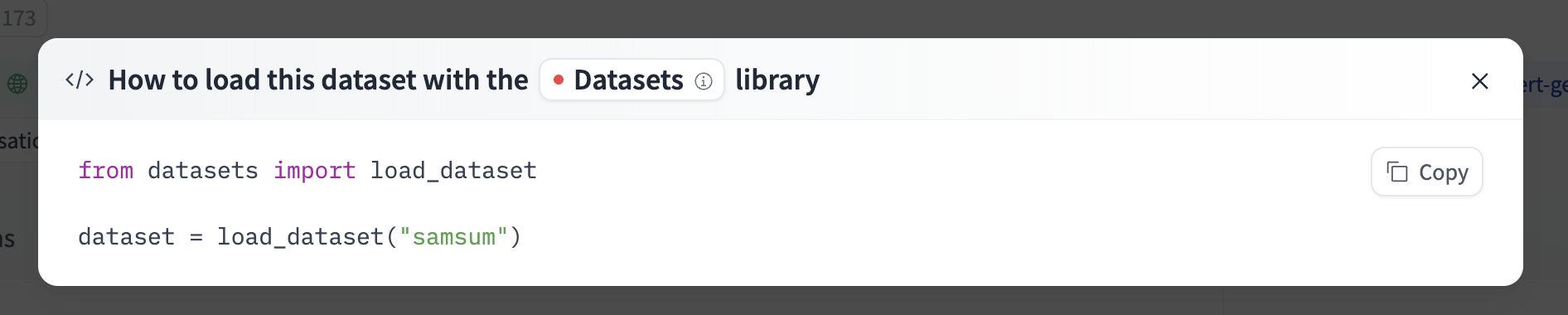
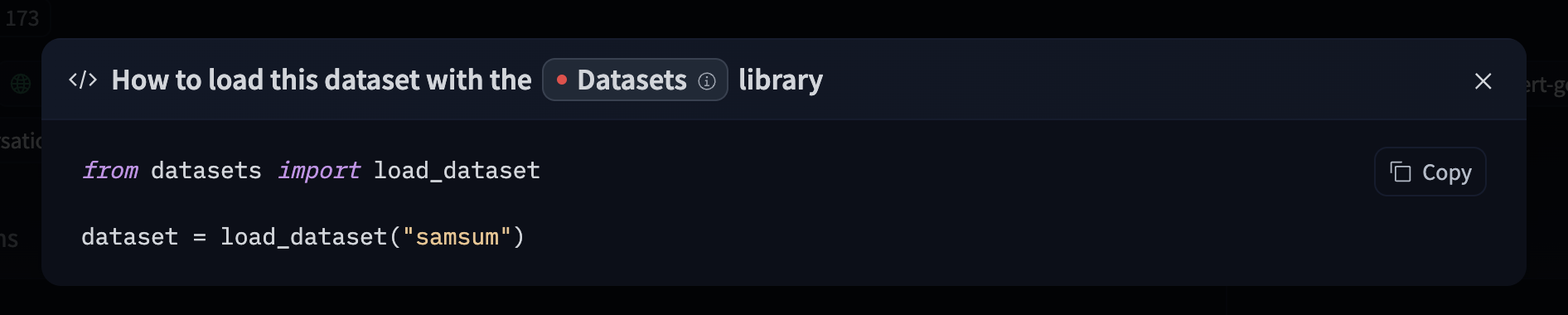
For information on accessing the dataset on the website, you can click on the “Use this dataset” button on the dataset page to see how to do so.
For example, samsum shows how to do so with 🤗 Datasets below.
Only upload the new data
Hugging Face’s storage is powered by Xet, which uses chunk deduplication to make uploads more efficient. Unlike traditional cloud storage, Xet doesn’t require the entire dataset to be re-uploaded to commit changes. Instead, it automatically detects which parts of the dataset have changed and instructs the client library only to upload the updated parts. To do that, Xet uses a smart algorithm to find chunks of 64kB that already exist on Hugging Face.
Let’s see our previous example with Pandas:
import pandas as pd

# Load the dataset
df = pd.read_csv(f"hf://datasets/{repo_id}/data.csv")

# Edit part of the dataset
df = df.apply(...)

# Commit the changes
df.to_csv(f"hf://datasets/{repo_id}/data.csv")
This code first loads a dataset and then edits it.
Once the edits are done, to_csv() materializes the file in memory, chunks it, asks Xet which chunks are already on Hugging Face and which chunks have changed, and then uploads only the new data.
Optimized Parquet editing
The amount of data to upload depends on the edits and the file structure.
The Parquet format is columnar and compressed at the page level (pages are around ~1MB). We optimized Parquet for Xet with Parquet Content Defined Chunking, which ensures unchanged data generally result in unchanged pages.
Check out if your library supports optimized Parquet in the supported libraries page.
Streaming
For big datasets, libraries with dataset streaming features for end-to-end streaming pipelines are recommended. In this case, the dataset processing runs progressively as the old data arrives and the new data is uploaded to the Hub.
Check out if your library supports streaming in the supported libraries page.
Update on GitHub