


title: TraceMind MCP Server
emoji: 🤖
colorFrom: blue
colorTo: purple
sdk: docker
app_port: 7860
pinned: true
license: agpl-3.0
short_description: MCP server for agent evaluation with Gemini 2.5 Flash
tags:
  - building-mcp-track-enterprise
  - mcp
  - gradio
  - gemini
  - agent-evaluation
  - leaderboard
TraceMind MCP Server
AI-Powered Analysis Tools for Agent Evaluation Data

-blue)


🎯 Track 1 Submission: Building MCP (Enterprise) 📅 MCP's 1st Birthday Hackathon: November 14-30, 2025
Overview
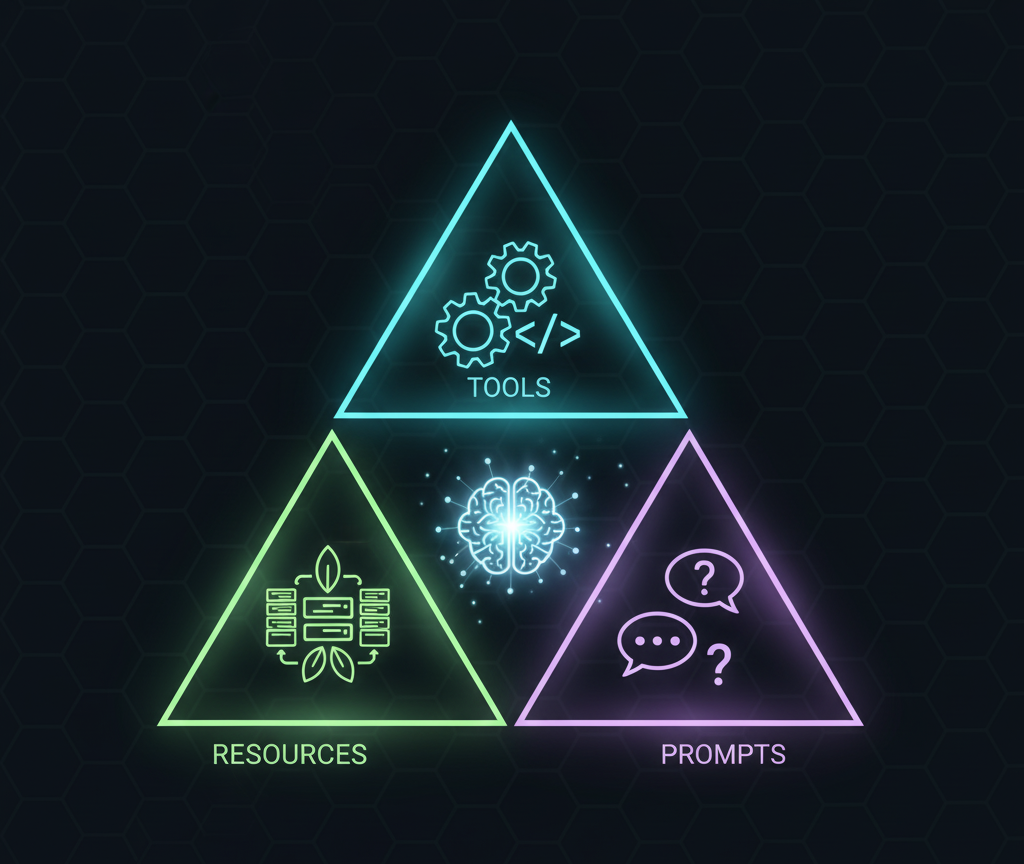
TraceMind MCP Server is a Gradio-based MCP (Model Context Protocol) server that provides a complete MCP implementation with:
🏗️ Built on Open Source Foundation
This MCP server is part of a complete agent evaluation ecosystem built on two foundational open-source projects:
🔭 TraceVerde (genai_otel_instrument) - Automatic OpenTelemetry Instrumentation
- What: Zero-code OTEL instrumentation for LLM frameworks (LiteLLM, Transformers, LangChain, etc.)
- Why: Captures every LLM call, tool usage, and agent step automatically
- Links: GitHub | PyPI
📊 SMOLTRACE - Agent Evaluation Engine
- What: Lightweight, production-ready evaluation framework with OTEL tracing built-in
- Why: Generates structured datasets (leaderboard, results, traces, metrics) that this MCP server analyzes
- Links: GitHub | PyPI
The Flow: TraceVerde instruments your agents → SMOLTRACE evaluates them → TraceMind MCP Server provides AI-powered analysis of the results
🛠️ 9 AI-Powered & Optimized Tools
- 📊 analyze_leaderboard: Generate AI-powered insights from evaluation leaderboard data
- 🐛 debug_trace: Debug specific agent execution traces using OpenTelemetry data with AI assistance
- 💰 estimate_cost: Predict evaluation costs before running with AI-powered recommendations
- ⚖️ compare_runs: Compare two evaluation runs with AI-powered analysis
- 🏆 get_top_performers: Get top N models from leaderboard (optimized for quick queries, avoids token bloat)
- 📈 get_leaderboard_summary: Get high-level leaderboard statistics (optimized for overview queries)
- 📦 get_dataset: Load SMOLTRACE datasets (smoltrace-* prefix only) as JSON for flexible analysis
- 🧪 generate_synthetic_dataset: Create domain-specific test datasets for SMOLTRACE evaluations (supports up to 100 tasks with parallel batched generation)
- 📤 push_dataset_to_hub: Upload generated datasets to HuggingFace Hub
📦 3 Data Resources
- leaderboard data: Direct JSON access to evaluation results
- trace data: Raw OpenTelemetry trace data with spans
- cost data: Model pricing and hardware cost information
📝 3 Prompt Templates
- analysis prompts: Standardized templates for different analysis types
- debug prompts: Templates for debugging scenarios
- optimization prompts: Templates for optimization goals
All analysis is powered by Google Gemini 2.5 Flash for intelligent, context-aware insights.
🔗 Quick Links
- Gradio UI: https://huggingface.co/spaces/MCP-1st-Birthday/TraceMind-mcp-server
- MCP Endpoint (SSE - Recommended):
https://mcp-1st-birthday-tracemind-mcp-server.hf.space/gradio_api/mcp/sse - MCP Endpoint (Streamable HTTP):
https://mcp-1st-birthday-tracemind-mcp-server.hf.space/gradio_api/mcp/ - Auto-Config: Add
MCP-1st-Birthday/TraceMind-mcp-serverat https://huggingface.co/settings/mcp
💡 Tip: Use the Auto-Config link above for the easiest setup! It generates the correct config for your MCP client automatically.
📱 Social Media & Demo
📢 Announcement Post: [Coming Soon - X/LinkedIn post]
🎥 Demo Video: [Coming Soon - YouTube/Loom link showing MCP server integration with Claude Desktop]
Why This MCP Server?
Problem: Agent evaluation generates massive amounts of data (leaderboards, traces, metrics), but developers struggle to:
- Understand which models perform best for their use case
- Debug why specific agent executions failed
- Estimate costs before running expensive evaluations
Solution: This MCP server provides AI-powered analysis tools that connect to HuggingFace datasets and deliver actionable insights in natural language.
Impact: Developers can make informed decisions about agent configurations, debug issues faster, and optimize costs—all through a simple MCP interface.
Features
🎯 Track 1 Compliance: Building MCP (Enterprise)
- ✅ Complete MCP Implementation: Tools, Resources, AND Prompts
- ✅ MCP Standard Compliant: Built with Gradio's native MCP support (
@gr.mcp.*decorators) - ✅ Production-Ready: Deployable to HuggingFace Spaces with SSE transport
- ✅ Testing Interface: Beautiful Gradio UI for testing all components
- ✅ Enterprise Focus: Cost optimization, debugging, decision support, and custom dataset generation
- ✅ Google Gemini Powered: Leverages Gemini 2.5 Flash for intelligent analysis
- ✅ 17 Total Components: 11 Tools + 3 Resources + 3 Prompts
🛠️ Eleven Production-Ready Tools
1. analyze_leaderboard
Analyzes evaluation leaderboard data from HuggingFace datasets and provides:
- Top performers by selected metric (accuracy, cost, latency, CO2)
- Trade-off analysis (e.g., "GPT-4 is most accurate but Llama-3.1 is 25x cheaper")
- Trend identification
- Actionable recommendations
Example Use Case: Before choosing a model for production, get AI-powered insights on which configuration offers the best cost/performance for your requirements.
2. debug_trace
Analyzes OpenTelemetry trace data and answers specific questions like:
- "Why was tool X called twice?"
- "Which step took the most time?"
- "Why did this test fail?"
Example Use Case: When an agent test fails, understand exactly what happened without manually parsing trace spans.
3. estimate_cost
Predicts costs before running evaluations:
- LLM API costs (token-based)
- HuggingFace Jobs compute costs
- CO2 emissions estimate
- Hardware recommendations
Example Use Case: Compare the cost of evaluating GPT-4 vs Llama-3.1 across 1000 tests before committing resources.
4. compare_runs
Compares two evaluation runs with AI-powered analysis across multiple dimensions:
- Success rate comparison with statistical significance
- Cost efficiency analysis (total cost, cost per test, cost per successful test)
- Speed comparison (average duration, throughput)
- Environmental impact (CO2 emissions per test)
- GPU efficiency (for GPU jobs)
Focus Options:
comprehensive: Complete comparison across all dimensionscost: Detailed cost efficiency and ROI analysisperformance: Speed and accuracy trade-off analysiseco_friendly: Environmental impact and carbon footprint comparison
Example Use Case: After running evaluations with two different models, compare them head-to-head to determine which is better for production deployment based on your priorities (accuracy, cost, speed, or environmental impact).
5. get_top_performers
Get top performing models from leaderboard with optimized token usage.
⚡ Performance Optimization: This tool returns only the top N models (5-20 runs) instead of loading the full leaderboard dataset (51 runs), resulting in 90% token reduction compared to using get_dataset().
When to Use: Perfect for queries like:
- "Which model is leading?"
- "Show me the top 5 models"
- "What's the best model for cost efficiency?"
Parameters:
leaderboard_repo(str): HuggingFace dataset repository (default: "kshitijthakkar/smoltrace-leaderboard")metric(str): Metric to rank by - "success_rate", "total_cost_usd", "avg_duration_ms", or "co2_emissions_g" (default: "success_rate")top_n(int): Number of top models to return (range: 1-20, default: 5)
Returns: Properly formatted JSON with:
- Metric used for ranking
- Ranking order (ascending/descending)
- Total runs in leaderboard
- Array of top performers with essential fields only (10 fields vs 20+ in full dataset)
Benefits:
- ✅ Token Reduction: Returns 5-20 runs instead of all 51 runs (90% fewer tokens)
- ✅ Ready to Use: Properly formatted JSON (no parsing needed, no string conversion issues)
- ✅ Pre-Sorted: Already sorted by your chosen metric
- ✅ Essential Data Only: Includes only 10 essential columns to minimize token usage
Example Use Case: An agent needs to quickly answer "What are the top 3 most cost-effective models?" without consuming excessive tokens by loading the entire leaderboard dataset.
6. get_leaderboard_summary
Get high-level leaderboard statistics without loading individual runs.
⚡ Performance Optimization: This tool returns only aggregated statistics instead of raw data, resulting in 99% token reduction compared to using get_dataset() on the full leaderboard.
When to Use: Perfect for overview queries like:
- "How many runs are in the leaderboard?"
- "What's the average success rate across all models?"
- "Give me an overview of evaluation results"
Parameters:
leaderboard_repo(str): HuggingFace dataset repository (default: "kshitijthakkar/smoltrace-leaderboard")
Returns: Properly formatted JSON with:
- Total runs count
- Unique models and submitters count
- Overall statistics (avg/best/worst success rates, avg cost, avg duration, total CO2)
- Breakdown by agent type (tool/code/both)
- Breakdown by provider (litellm/transformers)
- Top 3 models by success rate
Benefits:
- ✅ Extreme Token Reduction: Returns summary stats instead of 51 runs (99% fewer tokens)
- ✅ Ready to Use: Properly formatted JSON (no parsing needed)
- ✅ Comprehensive Stats: Includes averages, distributions, and breakdowns
- ✅ Quick Insights: Perfect for "overview" and "summary" questions
Example Use Case: An agent needs to provide a high-level overview of evaluation results without loading 51 individual runs and consuming 50K+ tokens.
7. get_dataset
Loads SMOLTRACE datasets from HuggingFace and returns raw data as JSON:
- Simple, flexible tool that returns complete dataset with metadata
- Works with any dataset containing "smoltrace-" prefix
- Returns total rows, columns list, and data array
- Automatically sorts by timestamp if available
- Configurable row limit (1-200) to manage token usage
⚠️ Important: For leaderboard queries, prefer using get_top_performers() or get_leaderboard_summary() instead - they're specifically optimized to avoid token bloat!
Security Restriction: Only datasets with "smoltrace-" in the repository name are allowed.
Primary Use Cases:
- Load
smoltrace-results-*datasets to see individual test case details - Load
smoltrace-traces-*datasets to access OpenTelemetry trace data - Load
smoltrace-metrics-*datasets to get GPU performance data - For leaderboard queries: Use
get_top_performers()orget_leaderboard_summary()instead!
Recommended Workflow:
- For overview: Use
get_leaderboard_summary()(99% token reduction) - For top N queries: Use
get_top_performers()(90% token reduction) - For specific run IDs: Use
get_dataset()only when you need non-leaderboard datasets
Example Use Case: When you need to load trace data or results data for a specific run, use get_dataset("username/smoltrace-traces-gpt4"). For leaderboard queries, use the optimized tools instead.
8. generate_synthetic_dataset
Generates domain-specific synthetic test datasets for SMOLTRACE evaluations using Google Gemini 2.5 Flash:
- AI-powered task generation tailored to your domain
- Custom tool specifications
- Configurable difficulty distribution (balanced, easy_only, medium_only, hard_only, progressive)
- Target specific agent types (tool, code, or both)
- Output follows SMOLTRACE task format exactly
- Supports up to 100 tasks with parallel batched generation
SMOLTRACE Task Format: Each generated task includes:
{
  "id": "unique_identifier",
  "prompt": "Clear, specific task for the agent",
  "expected_tool": "tool_name",
  "expected_tool_calls": 1,
  "difficulty": "easy|medium|hard",
  "agent_type": "tool|code",
  "expected_keywords": ["keyword1", "keyword2"]
}
Enterprise Use Cases:
- Custom Tools: Create benchmarks for your proprietary APIs and tools
- Industry-Specific: Generate tasks for finance, healthcare, legal, manufacturing, etc.
- Internal Workflows: Test agents on company-specific processes
- Rapid Prototyping: Quickly create evaluation datasets without manual curation
Difficulty Calibration:
- Easy (40%): Single tool call, straightforward input, clear expected output
- Medium (40%): Multiple tool calls OR complex input parsing OR conditional logic
- Hard (20%): Multiple tools, complex reasoning, edge cases, error handling
Output Includes:
dataset_info: Metadata (domain, tools, counts, timestamp)tasks: Ready-to-use SMOLTRACE task arrayusage_instructions: Step-by-step guide for HuggingFace upload and SMOLTRACE usage
Example Use Case: A financial services company wants to evaluate their customer service agent that uses custom tools for stock quotes, portfolio analysis, and transaction processing. They use this tool to generate 50 realistic tasks covering common customer inquiries across different difficulty levels, then run SMOLTRACE evaluations to benchmark different LLM models before deployment.
9. push_dataset_to_hub
Upload generated datasets to HuggingFace Hub with proper formatting and metadata:
- Automatically formats data for HuggingFace datasets library
- Handles authentication via HF_TOKEN
- Validates dataset structure before upload
- Supports both public and private datasets
- Adds comprehensive metadata (description, tags, license)
- Creates dataset card with usage instructions
Parameters:
dataset_name: Repository name on HuggingFace (e.g., "username/my-dataset")data: Dataset content (list of dictionaries or JSON string)description: Dataset description for the cardprivate: Whether to make the dataset private (default: False)
Example Workflow:
- Generate synthetic dataset with
generate_synthetic_dataset - Review and modify tasks if needed
- Upload to HuggingFace with
push_dataset_to_hub - Use in SMOLTRACE evaluations or share with team
Example Use Case: After generating a custom evaluation dataset for your domain, upload it to HuggingFace to share with your team, version control your benchmarks, or make it publicly available for the community.
MCP Resources Usage
Resources provide direct data access without AI analysis:
# Access leaderboard data
GET leaderboard://kshitijthakkar/smoltrace-leaderboard
# Returns: JSON with all evaluation runs

# Access specific trace
GET trace://trace_abc123/username/agent-traces-gpt4
# Returns: JSON with trace spans and attributes

# Get model cost information
GET cost://model/openai/gpt-4
# Returns: JSON with pricing and hardware costs
MCP Prompts Usage
Prompts provide reusable templates for standardized interactions:
# Get analysis prompt template
analysis_prompt(analysis_type="leaderboard", focus_area="cost", detail_level="detailed")
# Returns: "Provide a detailed analysis. Analyze cost efficiency in the leaderboard..."

# Get debug prompt template
debug_prompt(debug_type="performance", context="tool_calling")
# Returns: "Analyze tool calling performance. Identify which tools are slow..."

# Get optimization prompt template
optimization_prompt(optimization_goal="cost", constraints="maintain_quality")
# Returns: "Analyze this evaluation setup and recommend cost optimizations..."
Use these prompts when interacting with the tools to get consistent, high-quality analysis.
Quick Start
1. Installation
git clone https://github.com/Mandark-droid/TraceMind-mcp-server.git
cd TraceMind-mcp-server

# Create virtual environment
python -m venv venv
source venv/bin/activate  # On Windows: venv\Scripts\activate

# Install dependencies (note: gradio[mcp] includes MCP support)
pip install -r requirements.txt
2. Environment Setup
Create .env file:
cp .env.example .env
# Edit .env and add your API keys
Get your keys:
- Gemini API Key: https://ai.google.dev/
- HuggingFace Token: https://huggingface.co/settings/tokens
3. Run Locally
python app.py
Open http://localhost:7860 to test the tools via Gradio interface.
4. Test with Live Data
Try the live example with real HuggingFace dataset:
In the Gradio UI, Tab "📊 Analyze Leaderboard":
Leaderboard Repository: kshitijthakkar/smoltrace-leaderboard
Metric Focus: overall
Time Range: last_week
Top N Models: 5
Click "🔍 Analyze" and get AI-powered insights from live data!
🎯 For Hackathon Judges & Visitors
Using Your Own API Keys (Recommended)
This MCP server has pre-configured API keys in HuggingFace Spaces Secrets for quick testing. However, to prevent credit issues during evaluation, we strongly recommend using your own API keys:
Option 1: Configure in MCP Server UI (Simplest)
- Open the MCP Server Space: https://huggingface.co/spaces/MCP-1st-Birthday/TraceMind-mcp-server
- Navigate to the ⚙️ Settings tab
- Enter your own Gemini API Key and HuggingFace Token
- Click "Save & Override Keys"
- ✅ Your keys will be used for all MCP tool calls in this session
Then you can:
- Use any tool in the tabs above
- Connect from TraceMind-AI (it will automatically use your keys configured here)
- Test with Claude Desktop (will use your keys)
Option 2: For TraceMind-AI Integration
If you're testing the complete TraceMind platform (Track 2 - MCP in Action):
- Configure MCP Server (as described above)
- Open TraceMind-AI: https://huggingface.co/spaces/MCP-1st-Birthday/TraceMind
- Navigate to ⚙️ Settings in TraceMind-AI
- Enter your API keys there as well
- ✅ Both apps will use your keys
Why Two Settings Screens?
- TraceMind-AI (Track 2) is the user-facing UI - calls MCP server for intelligent analysis
- TraceMind MCP Server (Track 1) is the backend service - provides MCP tools
- They run in separate browser sessions → need separate configuration
- Configuring both ensures your keys are used throughout the evaluation flow
Getting Free API Keys
Both APIs have generous free tiers perfect for hackathon evaluation:
Google Gemini API Key:
- Go to https://ai.google.dev/
- Click "Get API Key" → Create project → Generate key
- Free tier: 1,500 requests/day
HuggingFace Token:
- Go to https://huggingface.co/settings/tokens
- Click "New token" → Name it (e.g., "TraceMind Access")
- Permissions:
- Select "Read" for viewing datasets (sufficient for most tools)
- Select "Write" if you want to use
push_dataset_to_hubtool to upload synthetic datasets
- Recommended: Use "Write" permissions for full functionality
- No rate limits for public dataset access
Default Configuration (If You Don't Configure)
If you don't configure your own keys, the MCP server will use our pre-configured keys from HuggingFace Spaces Secrets. This is fine for quick testing, but please note:
- Uses our API credits
- May hit rate limits during high traffic
- Recommended only for brief testing
MCP Integration
How It Works
This Gradio app uses mcp_server=True in the launch configuration, which automatically:
- Exposes all async functions with proper docstrings as MCP tools
- Handles MCP protocol communication
- Provides MCP interfaces via:
- Streamable HTTP (recommended) - Modern streaming protocol
- SSE (deprecated) - Server-Sent Events for legacy compatibility
Connecting from MCP Clients
Once deployed to HuggingFace Spaces, your MCP server will be available at:
🎯 MCP Endpoint (SSE - Recommended):
https://mcp-1st-birthday-tracemind-mcp-server.hf.space/gradio_api/mcp/sse
MCP Endpoint (Streamable HTTP):
https://mcp-1st-birthday-tracemind-mcp-server.hf.space/gradio_api/mcp/
Note: Both SSE and Streamable HTTP endpoints are fully supported. The SSE endpoint is recommended for most MCP clients.
✨ Easiest Way to Connect
Recommended for all users - HuggingFace provides an automatic configuration generator:
- Visit: https://huggingface.co/settings/mcp (while logged in)
- Add Space: Enter
MCP-1st-Birthday/TraceMind-mcp-server - Select Client: Choose Claude Desktop, VSCode, Cursor, etc.
- Copy Config: Get the auto-generated configuration snippet
- Paste & Restart: Add to your client's config file and restart
This automatically configures the correct endpoint URL and transport method for your chosen client!
🔧 Manual Configuration (Advanced)
If you prefer to manually configure your MCP client:
Claude Desktop (claude_desktop_config.json):
{
  "mcpServers": {
    "tracemind": {
      "url": "https://mcp-1st-birthday-tracemind-mcp-server.hf.space/gradio_api/mcp/sse",
      "transport": "sse"
    }
  }
}
VSCode / Cursor (settings.json or .cursor/mcp.json):
{
  "mcp.servers": {
    "tracemind": {
      "url": "https://mcp-1st-birthday-tracemind-mcp-server.hf.space/gradio_api/mcp/",
      "transport": "streamable-http"
    }
  }
}
Cline / Other MCP Clients:
- URL:
https://mcp-1st-birthday-tracemind-mcp-server.hf.space/gradio_api/mcp/sse - Transport:
sse(or use streamable HTTP endpoint withstreamable-httptransport)
❓ Connection FAQ
Q: Which endpoint should I use?
A: Use the Streamable HTTP endpoint (/gradio_api/mcp/) for all new connections. It's the modern, recommended protocol.
Q: My client only supports SSE. What should I do?
A: Use the SSE endpoint (/gradio_api/mcp/sse) for now, but note that it's deprecated. Consider upgrading your client if possible.
Q: What's the difference between the two transports? A: Streamable HTTP is the newer, more efficient protocol with better error handling and performance. SSE is the legacy protocol being phased out.
Q: How do I test if my connection works? A: After configuring your client, restart it and look for "tracemind" in your available MCP tools/servers. You should see 7 tools, 3 resources, and 3 prompts.
Q: Can I use this MCP server without authentication? A: The MCP endpoint is publicly accessible. However, the tools may require HuggingFace datasets to be public or accessible with your HF token (configured server-side).
Available MCP Components
Tools (9):
- analyze_leaderboard: AI-powered leaderboard analysis with Gemini 2.5 Flash
- debug_trace: Trace debugging with AI insights
- estimate_cost: Cost estimation with optimization recommendations
- compare_runs: Compare two evaluation runs with AI-powered analysis
- get_top_performers: Get top N models from leaderboard (optimized, 90% token reduction)
- get_leaderboard_summary: Get leaderboard statistics (optimized, 99% token reduction)
- get_dataset: Load SMOLTRACE datasets (smoltrace-* only) as JSON
- generate_synthetic_dataset: Create domain-specific test datasets with AI
- push_dataset_to_hub: Upload datasets to HuggingFace Hub
Resources (3):
- leaderboard://{repo}: Direct access to raw leaderboard data in JSON
- trace://{trace_id}/{repo}: Direct access to trace data with spans
- cost://model/{model_name}: Model pricing and hardware cost information
Prompts (3):
- analysis_prompt: Reusable templates for different analysis types
- debug_prompt: Reusable templates for debugging scenarios
- optimization_prompt: Reusable templates for optimization goals
See full API documentation in the Gradio interface under "📖 API Documentation" tab.
Architecture
TraceMind-mcp-server/
├── app.py                      # Gradio UI + MCP server (mcp_server=True)
├── gemini_client.py            # Google Gemini 2.5 Flash integration
├── mcp_tools.py                # 7 tool implementations
├── requirements.txt            # Python dependencies
├── .env.example                # Environment variable template
├── .gitignore
└── README.md
Key Technologies:
- Gradio 6 with MCP support:
gradio[mcp]provides native MCP server capabilities - Google Gemini 2.5 Flash: Latest AI model for intelligent analysis
- HuggingFace Datasets: Data source for evaluations
- Streamable HTTP Transport: Modern streaming protocol for MCP communication (recommended)
- SSE Transport: Server-Sent Events for legacy MCP compatibility (deprecated)
Deploy to HuggingFace Spaces
1. Create Space
Go to https://huggingface.co/new-space
- Space name:
TraceMind-mcp-server - License: AGPL-3.0
- SDK: Gradio
- Hardware: CPU Basic (free tier works fine)
2. Add Files
Upload all files from this repository to your Space:
app.pygemini_client.pymcp_tools.pyrequirements.txtREADME.md
3. Add Secrets
In Space settings → Variables and secrets, add:
GEMINI_API_KEY: Your Gemini API keyHF_TOKEN: Your HuggingFace token
4. Add Hackathon Tag
In Space settings → Tags, add:
building-mcp-track-enterprise
5. Access Your MCP Server
Your MCP server will be publicly available at:
Gradio UI:
https://huggingface.co/spaces/MCP-1st-Birthday/TraceMind-mcp-server
MCP Endpoint (SSE - Recommended):
https://mcp-1st-birthday-tracemind-mcp-server.hf.space/gradio_api/mcp/sse
MCP Endpoint (Streamable HTTP):
https://mcp-1st-birthday-tracemind-mcp-server.hf.space/gradio_api/mcp/
Use the Easiest Way to Connect section above to configure your MCP client automatically!
Testing
Test 1: Analyze Leaderboard (Live Data)
# In Gradio UI - Tab "📊 Analyze Leaderboard":
Repository: kshitijthakkar/smoltrace-leaderboard
Metric: overall
Time Range: last_week
Top N: 5
Click "🔍 Analyze"
Expected: AI-generated analysis of top performing models from live HuggingFace dataset
Test 2: Estimate Cost
# In Gradio UI - Tab "💰 Estimate Cost":
Model: openai/gpt-4
Agent Type: both
Number of Tests: 100
Hardware: auto
Click "💰 Estimate"
Expected: Cost breakdown with LLM costs, HF Jobs costs, duration, and CO2 estimate
Test 3: Debug Trace
Note: This requires actual trace data from an evaluation run. For testing purposes, this will show an error about missing data, which is expected behavior.
Hackathon Submission
Track 1: Building MCP (Enterprise)
Tag: building-mcp-track-enterprise
Why Enterprise Track?
- Solves real business problems (cost optimization, debugging, decision support)
- Production-ready tools with clear ROI
- Integrates with enterprise data infrastructure (HuggingFace datasets)
Technology Stack
- AI Analysis: Google Gemini 2.5 Flash for all intelligent insights
- MCP Framework: Gradio 6 with native MCP support
- Data Source: HuggingFace Datasets
- Transport: Streamable HTTP (recommended) and SSE (deprecated)
Related Project: TraceMind-AI (Track 2)
This MCP server is designed to be consumed by TraceMind-AI (separate submission for Track 2: MCP in Action).
Links:
- Live Demo: https://huggingface.co/spaces/MCP-1st-Birthday/TraceMind
- GitHub: https://github.com/Mandark-droid/TraceMind-AI
TraceMind-AI is a Gradio-based agent evaluation platform that uses these MCP tools to provide:
- AI-powered leaderboard insights with autonomous agent chat
- Interactive trace debugging with MCP-powered Q&A
- Real-time cost estimation and comparison
- Complete evaluation workflow visualization
File Descriptions
app.py
Main Gradio application with:
- Testing UI for all 7 tools
- MCP server enabled via
mcp_server=True - API documentation
gemini_client.py
Google Gemini 2.5 Flash client that:
- Handles API authentication
- Provides specialized analysis methods for different data types
- Formats prompts for optimal results
- Uses
gemini-2.5-pro-latestmodel (can switch togemini-2.5-flash-latest)
mcp_tools.py
Complete MCP implementation with 13 components:
Tools (9 async functions):
analyze_leaderboard(): AI-powered leaderboard analysisdebug_trace(): AI-powered trace debuggingestimate_cost(): AI-powered cost estimationcompare_runs(): AI-powered run comparisonget_top_performers(): Optimized tool to get top N models (90% token reduction)get_leaderboard_summary(): Optimized tool for leaderboard statistics (99% token reduction)get_dataset(): Load SMOLTRACE datasets as JSON (use optimized tools for leaderboard!)generate_synthetic_dataset(): Create domain-specific test datasets with AIpush_dataset_to_hub(): Upload datasets to HuggingFace Hub
Resources (3 decorated functions with @gr.mcp.resource()):
get_leaderboard_data(): Raw leaderboard JSON dataget_trace_data(): Raw trace JSON data with spansget_cost_data(): Model pricing and hardware cost JSON
Prompts (3 decorated functions with @gr.mcp.prompt()):
analysis_prompt(): Templates for different analysis typesdebug_prompt(): Templates for debugging scenariosoptimization_prompt(): Templates for optimization goals
Each function includes:
- Appropriate decorator (
@gr.mcp.tool(),@gr.mcp.resource(), or@gr.mcp.prompt()) - Detailed docstring with "Args:" section
- Type hints for all parameters and return values
- Descriptive function name (becomes the MCP component name)
Environment Variables
Required environment variables:
GEMINI_API_KEY=your_gemini_api_key_here
HF_TOKEN=your_huggingface_token_here
Development
Running Tests
# Test Gemini client
python -c "from gemini_client import GeminiClient; client = GeminiClient(); print('✅ Gemini client initialized')"

# Test with live leaderboard data
python app.py
# Open browser, test "Analyze Leaderboard" tab
Adding New Tools
To add a new MCP tool (with Gradio's native MCP support):
- Add function to
mcp_tools.pywith proper docstring:
async def your_new_tool(
    gemini_client: GeminiClient,
    param1: str,
    param2: int = 10
) -> str:
    """
    Brief description of what the tool does.

    Longer description explaining the tool's purpose and behavior.

    Args:
        gemini_client (GeminiClient): Initialized Gemini client for AI analysis
        param1 (str): Description of param1 with examples if helpful
        param2 (int): Description of param2. Default: 10

    Returns:
        str: Description of what the function returns
    """
    # Your implementation
    return result
- Add UI tab in
app.py(optional, for testing):
with gr.Tab("Your Tool"):
    # Add UI components
    # Wire up to your_new_tool()
- That's it! Gradio automatically exposes it as an MCP tool based on:
- Function name (becomes tool name)
- Docstring (becomes tool description)
- Args section (becomes parameter descriptions)
- Type hints (become parameter types)
Switching to Gemini 2.5 Flash
For faster (but slightly less capable) responses, switch to Gemini 2.5 Flash:
# In app.py, change:
gemini_client = GeminiClient(model_name="gemini-2.5-flash-latest")
🙏 Credits & Acknowledgments
Hackathon Sponsors
Special thanks to the sponsors of MCP's 1st Birthday Hackathon (November 14-30, 2025):
- 🤗 HuggingFace - Hosting platform and dataset infrastructure
- 🧠 Google Gemini - AI analysis powered by Gemini 2.5 Flash API
- ⚡ Modal - Serverless infrastructure partner
- 🏢 Anthropic - MCP protocol creators
- 🎨 Gradio - Native MCP framework support
- 🎙️ ElevenLabs - Audio AI capabilities
- 🦙 SambaNova - High-performance AI infrastructure
- 🎯 Blaxel - Additional compute credits
Related Open Source Projects
This MCP server builds upon our open source agent evaluation ecosystem:
📊 SMOLTRACE - Agent Evaluation Engine
- Description: Lightweight, production-ready evaluation framework for AI agents with OpenTelemetry instrumentation
- GitHub: https://github.com/Mandark-droid/SMOLTRACE
- PyPI: https://pypi.org/project/smoltrace/
🔭 TraceVerde - GenAI OpenTelemetry Instrumentation
- Description: Automatic OpenTelemetry instrumentation for LLM frameworks (LiteLLM, Transformers, LangChain, etc.)
- GitHub: https://github.com/Mandark-droid/genai_otel_instrument
- PyPI: https://pypi.org/project/genai-otel-instrument
Built By
Track: Building MCP (Enterprise) Author: Kshitij Thakkar Powered by: Google Gemini 2.5 Flash Built with: Gradio (native MCP support)
📄 License
AGPL-3.0 License
This project is licensed under the GNU Affero General Public License v3.0. See the LICENSE file for details.
💬 Support
For issues or questions:
- 📧 Open an issue on GitHub
- 💬 Join the HuggingFace Discord - Channel:
#agents-mcp-hackathon-winter25 - 🏷️ Tag
building-mcp-track-enterprisefor hackathon-related questions - 🐦 Follow us on X: @TraceMindAI (placeholder)
Changelog
v1.0.0 (2025-11-14)
- Initial release for MCP Hackathon
- Complete MCP Implementation: 17 components total
- 11 AI-powered and optimized tools:
- analyze_leaderboard, debug_trace, estimate_cost, compare_runs, analyze_results (AI-powered analysis)
- get_top_performers, get_leaderboard_summary (optimized for token reduction)
- get_dataset, generate_synthetic_dataset, generate_prompt_template, push_dataset_to_hub (data management)
- 3 data resources (leaderboard, trace, cost data)
- 3 prompt templates (analysis, debug, optimization)
- 11 AI-powered and optimized tools:
- Gradio native MCP support with decorators (
@gr.mcp.*) - Google Gemini 2.5 Flash integration for all AI analysis
- Live HuggingFace dataset integration
- Performance Optimizations:
- get_top_performers: 90% token reduction vs full leaderboard
- get_leaderboard_summary: 99% token reduction vs full leaderboard
- Proper JSON serialization (no string conversion issues)
- SSE transport for MCP communication
- Production-ready for HuggingFace Spaces deployment