---
title: Flow2API
emoji: 🚀
colorFrom: blue
colorTo: green
sdk: docker
sdk_version: '1.0'
app_file: app.py
pinned: false
---
# Flow2API
[](LICENSE)
[](https://www.python.org/)
[](https://fastapi.tiangolo.com/)
[](https://www.docker.com/)
**一个功能完整的 OpenAI 兼容 API 服务,为 Flow 提供统一的接口**
## ✨ 核心特性
- 🎨 **文生图** / **图生图**
- 🎬 **文生视频** / **图生视频**
- 🎞️ **首尾帧视频**
- 🔄 **AT自动刷新**
- 📊 **余额显示** - 实时查询和显示 VideoFX Credits
- 🚀 **负载均衡** - 多 Token 轮询和并发控制
- 🌐 **代理支持** - 支持 HTTP/SOCKS5 代理
- 📱 **Web 管理界面** - 直观的 Token 和配置管理
- 🎨 **图片生成连续对话**
## 🚀 快速开始
### 前置要求
- Docker 和 Docker Compose(推荐)
- 或 Python 3.8+
- 由于Flow增加了额外的验证码,你可以自行选择使用浏览器打码或第三发打码:
注册[YesCaptcha](https://yescaptcha.com/i/13Xd8K)并获取api key,将其填入系统配置页面```YesCaptcha API密钥```区域
- 自动更新st浏览器拓展:[Flow2API-Token-Updater](https://github.com/TheSmallHanCat/Flow2API-Token-Updater)
### 方式一:Docker 部署(推荐)
#### 标准模式(不使用代理)
```bash
# 克隆项目
git clone https://github.com/TheSmallHanCat/flow2api.git
cd flow2api
# 启动服务
docker-compose up -d
# 查看日志
docker-compose logs -f
```
#### WARP 模式(使用代理)
```bash
# 使用 WARP 代理启动
docker-compose -f docker-compose.warp.yml up -d
# 查看日志
docker-compose -f docker-compose.warp.yml logs -f
```
### 方式二:本地部署
```bash
# 克隆项目
git clone https://github.com/TheSmallHanCat/flow2api.git
cd flow2api
# 创建虚拟环境
python -m venv venv
# 激活虚拟环境
# Windows
venv\Scripts\activate
# Linux/Mac
source venv/bin/activate
# 安装依赖
pip install -r requirements.txt
# 启动服务
python main.py
```
### 方式三:Hugging Face 部署
1. **准备工作**
- 注册并登录 [Hugging Face](https://huggingface.co/)
- 创建一个新的 Space
- 选择 "Docker" 作为 Space 类型
2. **配置 Space**
- **Repository name**: 输入一个名称(例如 `flow2api`)
- **Visibility**: 选择 "Public" 或 "Private"
- **Hardware**: 选择适当的硬件配置(最低推荐 2GB RAM)
3. **部署步骤**
- 在 Space 的 "Files" 标签页中,上传项目的所有文件
- 确保 `app.py` 文件存在(Hugging Face 的部署入口)
- 确保 `requirements.txt` 文件包含所有必要的依赖
- 点击 "Build" 按钮开始部署
4. **访问服务**
- 部署完成后,通过 Space 提供的 URL 访问服务
- 默认登录地址: `https://.hf.space/`
- 首次登录用户名: `admin`,密码: `admin`
5. **注意事项**
- Hugging Face Spaces 使用端口 7860,配置已自动适配
- 由于 Hugging Face 的网络环境,可能需要配置代理
- 建议在管理界面中修改默认的管理员密码
- 对于视频生成等耗时操作,可能会受到 Hugging Face 的资源限制
### 首次访问
服务启动后,访问管理后台: **http://localhost:8000**,首次登录后请立即修改密码!
- **用户名**: `admin`
- **密码**: `admin`
## 📋 支持的模型
### 图片生成
| 模型名称 | 说明| 尺寸 |
|---------|--------|--------|
| `gemini-2.5-flash-image-landscape` | 图/文生图 | 横屏 |
| `gemini-2.5-flash-image-portrait` | 图/文生图 | 竖屏 |
| `gemini-3.0-pro-image-landscape` | 图/文生图 | 横屏 |
| `gemini-3.0-pro-image-portrait` | 图/文生图 | 竖屏 |
| `imagen-4.0-generate-preview-landscape` | 图/文生图 | 横屏 |
| `imagen-4.0-generate-preview-portrait` | 图/文生图 | 竖屏 |
### 视频生成
#### 文生视频 (T2V - Text to Video)
⚠️ **不支持上传图片**
| 模型名称 | 说明| 尺寸 |
|---------|---------|--------|
| `veo_3_1_t2v_fast_portrait` | 文生视频 | 竖屏 |
| `veo_3_1_t2v_fast_landscape` | 文生视频 | 横屏 |
| `veo_2_1_fast_d_15_t2v_portrait` | 文生视频 | 竖屏 |
| `veo_2_1_fast_d_15_t2v_landscape` | 文生视频 | 横屏 |
| `veo_2_0_t2v_portrait` | 文生视频 | 竖屏 |
| `veo_2_0_t2v_landscape` | 文生视频 | 横屏 |
#### 首尾帧模型 (I2V - Image to Video)
📸 **支持1-2张图片:首尾帧**
| 模型名称 | 说明| 尺寸 |
|---------|---------|--------|
| `veo_3_1_i2v_s_fast_fl_portrait` | 图生视频 | 竖屏 |
| `veo_3_1_i2v_s_fast_fl_landscape` | 图生视频 | 横屏 |
| `veo_2_1_fast_d_15_i2v_portrait` | 图生视频 | 竖屏 |
| `veo_2_1_fast_d_15_i2v_landscape` | 图生视频 | 横屏 |
| `veo_2_0_i2v_portrait` | 图生视频 | 竖屏 |
| `veo_2_0_i2v_landscape` | 图生视频 | 横屏 |
#### 多图生成 (R2V - Reference Images to Video)
🖼️ **支持多张图片**
| 模型名称 | 说明| 尺寸 |
|---------|---------|--------|
| `veo_3_0_r2v_fast_portrait` | 图生视频 | 竖屏 |
| `veo_3_0_r2v_fast_landscape` | 图生视频 | 横屏 |
## 📡 API 使用示例(需要使用流式)
### 文生图
```bash
curl -X POST "http://localhost:8000/v1/chat/completions" \
-H "Authorization: Bearer han1234" \
-H "Content-Type: application/json" \
-d '{
"model": "gemini-2.5-flash-image-landscape",
"messages": [
{
"role": "user",
"content": "一只可爱的猫咪在花园里玩耍"
}
],
"stream": true
}'
```
### 图生图
```bash
curl -X POST "http://localhost:8000/v1/chat/completions" \
-H "Authorization: Bearer han1234" \
-H "Content-Type: application/json" \
-d '{
"model": "imagen-4.0-generate-preview-landscape",
"messages": [
{
"role": "user",
"content": [
{
"type": "text",
"text": "将这张图片变成水彩画风格"
},
{
"type": "image_url",
"image_url": {
"url": "data:image/jpeg;base64,"
}
}
]
}
],
"stream": true
}'
```
### 文生视频
```bash
curl -X POST "http://localhost:8000/v1/chat/completions" \
-H "Authorization: Bearer han1234" \
-H "Content-Type: application/json" \
-d '{
"model": "veo_3_1_t2v_fast_landscape",
"messages": [
{
"role": "user",
"content": "一只小猫在草地上追逐蝴蝶"
}
],
"stream": true
}'
```
### 首尾帧生成视频
```bash
curl -X POST "http://localhost:8000/v1/chat/completions" \
-H "Authorization: Bearer han1234" \
-H "Content-Type: application/json" \
-d '{
"model": "veo_3_1_i2v_s_fast_fl_landscape",
"messages": [
{
"role": "user",
"content": [
{
"type": "text",
"text": "从第一张图过渡到第二张图"
},
{
"type": "image_url",
"image_url": {
"url": "data:image/jpeg;base64,<首帧base64>"
}
},
{
"type": "image_url",
"image_url": {
"url": "data:image/jpeg;base64,<尾帧base64>"
}
}
]
}
],
"stream": true
}'
```
---
## 📄 许可证
本项目采用 MIT 许可证。详见 [LICENSE](LICENSE) 文件。
---
## 🙏 致谢
- [PearNoDec](https://github.com/PearNoDec) 提供的YesCaptcha打码方案
- [raomaiping](https://github.com/raomaiping) 提供的无头打码方案
感谢所有贡献者和使用者的支持!
---
## 📞 联系方式
- 提交 Issue:[GitHub Issues](https://github.com/TheSmallHanCat/flow2api/issues)
---
**⭐ 如果这个项目对你有帮助,请给个 Star!**
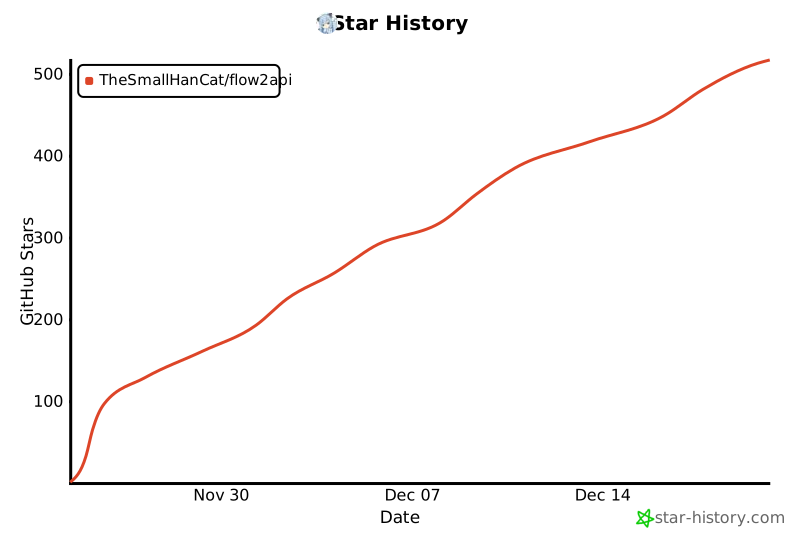
## Star History
[](https://www.star-history.com/#TheSmallHanCat/flow2api&type=date&legend=top-left)