
Spaces:
Running


title: TraceMind AI
emoji: 🧠
colorFrom: indigo
colorTo: purple
sdk: gradio
sdk_version: 5.49.1
app_file: app.py
short_description: AI agent evaluation with MCP-powered intelligence
license: agpl-3.0
pinned: true
tags:
  - mcp-in-action-track-enterprise
  - agent-evaluation
  - mcp-client
  - leaderboard
  - gradio
🧠 TraceMind-AI
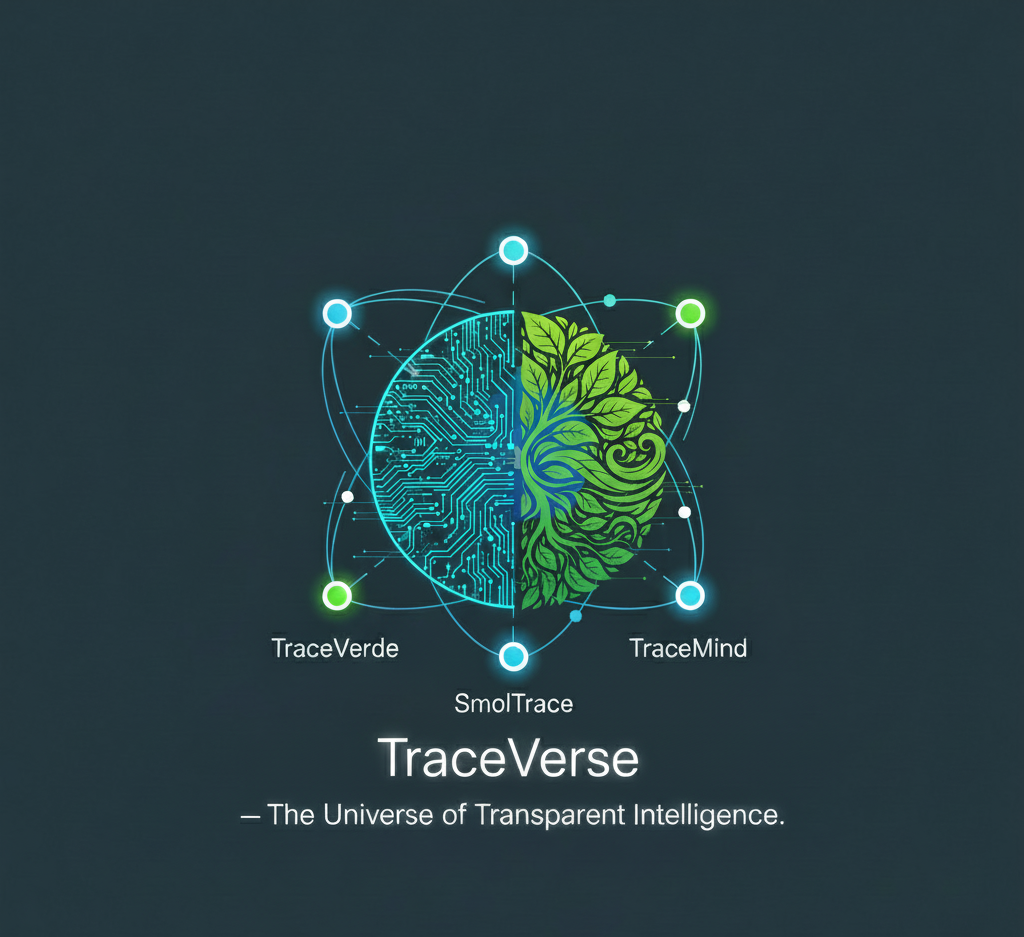

Agent Evaluation Platform with MCP-Powered Intelligence

-purple)

🎯 Track 2 Submission: MCP in Action (Enterprise) 📅 MCP's 1st Birthday Hackathon: November 14-30, 2025
Overview
TraceMind-AI is a comprehensive platform for evaluating AI agent performance across different models, providers, and configurations. It provides real-time insights, cost analysis, and detailed trace visualization powered by the Model Context Protocol (MCP).
🏗️ Built on Open Source Foundation
This platform is part of a complete agent evaluation ecosystem built on two foundational open-source projects:
🔭 TraceVerde (genai_otel_instrument) - Automatic OpenTelemetry Instrumentation
- What: Zero-code OTEL instrumentation for LLM frameworks (LiteLLM, Transformers, LangChain, etc.)
- Why: Captures every LLM call, tool usage, and agent step automatically
- Links: GitHub | PyPI
📊 SMOLTRACE - Agent Evaluation Engine
- What: Lightweight, production-ready evaluation framework with OTEL tracing built-in
- Why: Generates structured datasets (leaderboard, results, traces, metrics) displayed in this UI
- Links: GitHub | PyPI
The Flow: TraceVerde instruments your agents → SMOLTRACE evaluates them → TraceMind-AI visualizes results with MCP-powered intelligence
Features
- 📊 Real-time Leaderboard: Live evaluation data from HuggingFace datasets
- 🤖 Autonomous Agent Chat: Interactive agent powered by smolagents with MCP tools (Track 2)
- 💬 MCP Integration: AI-powered analysis using remote MCP servers
- ☁️ Multi-Cloud Evaluation: Submit jobs to HuggingFace Jobs or Modal (H200, A100, A10 GPUs)
- 💰 Smart Cost Estimation: Auto-select hardware and predict costs before running evaluations
- 🔍 Trace Visualization: Detailed OpenTelemetry trace analysis with GPU metrics
- 📈 Performance Metrics: GPU utilization, CO2 emissions, token usage tracking
- 🧠 Agent Reasoning: View step-by-step agent planning and tool execution
MCP Integration
TraceMind demonstrates enterprise MCP client usage by connecting to TraceMind-mcp-server via the Model Context Protocol.
MCP Tools Used:
analyze_leaderboard- AI-generated insights about evaluation trendsestimate_cost- Cost estimation with hardware recommendationsdebug_trace- Interactive trace analysis and debuggingcompare_runs- Side-by-side run comparisonanalyze_results- Test case analysis with optimization recommendations
Quick Start
Prerequisites
For Viewing Leaderboard & Analysis:
- Python 3.10+
- HuggingFace account (for authentication)
For Submitting Evaluation Jobs:
- ⚠️ HuggingFace Pro account ($9/month) with credit card
- HuggingFace token with Read + Write + Run Jobs permissions
- API keys for model providers (OpenAI, Anthropic, etc.)
Note: Job submission requires a paid HuggingFace Pro account to access compute infrastructure. Viewing existing results is free.
Installation
- Clone the repository:
git clone https://github.com/Mandark-droid/TraceMind-AI.git
cd TraceMind-AI
- Install dependencies:
pip install -r requirements.txt
- Configure environment:
cp .env.example .env
# Edit .env with your configuration
- Run the application:
python app.py
Visit http://localhost:7860
🎯 For Hackathon Judges & Visitors
Using Your Own API Keys (Recommended)
TraceMind-AI integrates with the TraceMind MCP Server to provide AI-powered analysis. To prevent credit issues during evaluation, we recommend configuring your own API keys:
Step-by-Step Configuration
Step 1: Configure MCP Server (Required for MCP tool features)
- Open MCP Server: https://huggingface.co/spaces/MCP-1st-Birthday/TraceMind-mcp-server
- Go to ⚙️ Settings tab
- Enter your Gemini API Key and HuggingFace Token
- Click "Save & Override Keys"
Step 2: Configure TraceMind-AI (Optional, for additional features)
- Open TraceMind-AI: https://huggingface.co/spaces/MCP-1st-Birthday/TraceMind
- Go to ⚙️ Settings tab
- Enter your Gemini API Key and HuggingFace Token
- Click "Save API Keys"
Why Configure Both?
- MCP Server: Provides AI-powered tools (leaderboard analysis, trace debugging, cost estimation)
- TraceMind-AI: Main UI that calls the MCP server for intelligent analysis
- They run in separate sessions → need separate configuration
- Configuring both ensures your keys are used for the complete evaluation flow
Getting Free API Keys
Both APIs have generous free tiers:
Google Gemini API Key:
- Visit: https://ai.google.dev/
- Click "Get API Key" → Create project → Generate key
- Free tier: 1,500 requests/day (sufficient for evaluation)
HuggingFace Token (for viewing):
- Visit: https://huggingface.co/settings/tokens
- Click "New token" → Name it (e.g., "TraceMind Viewer")
- Permissions:
- Select "Read" for viewing datasets (sufficient for browsing leaderboard)
- Free tier: No rate limits for public dataset access
Default Configuration (Without Your Keys)
If you don't configure your own keys:
- Apps will use our pre-configured keys from HuggingFace Spaces Secrets
- Fine for brief testing, but may hit rate limits during high traffic
- Recommended to configure your keys for full evaluation
Security Notes
✅ Session-only storage: Keys stored only in browser memory
✅ No server persistence: Keys never saved to disk
✅ Not exposed via API: Settings forms use api_name=False
✅ HTTPS encryption: All API calls over secure connections
🚀 Submitting Evaluation Jobs
TraceMind-AI allows you to submit evaluation jobs to two cloud platforms:
- HuggingFace Jobs: Managed compute with H200, A100, A10, T4 GPUs
- Modal: Serverless GPU compute with pay-per-second pricing
⚠️ Requirements for Job Submission
For HuggingFace Jobs:
HuggingFace Pro Account ($9/month)
- Sign up at: https://huggingface.co/pricing
- Credit card required to pay for compute usage
- Free accounts cannot submit jobs
HuggingFace Token with Enhanced Permissions
- Visit: https://huggingface.co/settings/tokens
- Create token with these permissions:
- ✅ Read (view datasets)
- ✅ Write (upload results)
- ✅ Run Jobs (submit evaluation jobs)
- ⚠️ Read-only tokens will NOT work
For Modal (Optional Alternative):
Modal Account (Free tier available)
- Sign up at: https://modal.com
- Generate API token at: https://modal.com/settings/tokens
- Pay-per-second billing (no monthly subscription)
Configure Modal Credentials in Settings
- MODAL_TOKEN_ID (starts with
ak-) - MODAL_TOKEN_SECRET (starts with
as-)
- MODAL_TOKEN_ID (starts with
Both Platforms Require:
- Model Provider API Keys
- OpenAI, Anthropic, Google, etc.
- Configure in Settings → LLM Provider API Keys
- Passed securely as job secrets
Hardware Options & Pricing
TraceMind auto-selects optimal hardware based on your model size and provider:
HuggingFace Jobs:
- cpu-basic: API models (OpenAI, Anthropic) - ~$0.05/hr
- t4-small: Small models (4B-8B parameters) - ~$0.60/hr
- a10g-small: Medium models (7B-13B) - ~$1.10/hr
- a100-large: Large models (70B+) - ~$3.00/hr
- Pricing: https://huggingface.co/pricing#spaces-pricing
Modal:
- CPU: API models - ~$0.0001/sec
- A10G: Small-medium models (7B-13B) - ~$0.0006/sec
- A100-80GB: Large models (70B+) - ~$0.0030/sec
- H200: Fastest inference - ~$0.0050/sec
- Pricing: https://modal.com/pricing
How to Submit a Job
Configure API Keys (Settings tab):
- Add HF Token (with Run Jobs permission) - required for both platforms
- Add Modal credentials (MODAL_TOKEN_ID + MODAL_TOKEN_SECRET) - for Modal only
- Add LLM provider keys (OpenAI, Anthropic, etc.)
Create Evaluation (New Evaluation tab):
- Select infrastructure: HuggingFace Jobs or Modal
- Choose model and agent type
- Configure hardware (or use "auto" for smart selection)
- Set timeout (default: 1h)
- Click "💰 Estimate Cost" to preview cost/duration
- Click "Submit Evaluation"
Monitor Job:
- View job ID and status in confirmation screen
- HF Jobs: Track at https://huggingface.co/jobs or use Job Monitoring tab
- Modal: Track at https://modal.com/apps
- Results automatically appear in leaderboard when complete
What Happens During a Job
- Job starts on selected infrastructure (HF Jobs or Modal)
- Docker container built with required dependencies
- SMOLTRACE evaluates your model with OpenTelemetry tracing
- Results uploaded to 4 HuggingFace datasets:
- Leaderboard entry (summary stats)
- Results dataset (test case details)
- Traces dataset (OTEL spans)
- Metrics dataset (GPU metrics, CO2 emissions)
- Results appear in TraceMind leaderboard automatically
Expected Duration:
- CPU jobs (API models): 2-5 minutes
- GPU jobs (local models): 15-30 minutes (includes model download)
Configuration
Create a .env file with the following variables:
# HuggingFace Configuration
HF_TOKEN=your_token_here

# Agent Model Configuration (for Chat Screen - Track 2)
# Options: "hfapi" (default), "inference_client", "litellm"
AGENT_MODEL_TYPE=hfapi

# API Keys for different model types
# Required if AGENT_MODEL_TYPE=litellm
GEMINI_API_KEY=your_gemini_api_key_here

# MCP Server URL (note: /sse endpoint for smolagents integration)
MCP_SERVER_URL=https://mcp-1st-birthday-tracemind-mcp-server.hf.space/gradio_api/mcp/sse

# Dataset Configuration
LEADERBOARD_REPO=kshitijthakkar/smoltrace-leaderboard

# Development Mode (optional - disables OAuth for local testing)
DISABLE_OAUTH=true
Agent Model Options
The Agent Chat screen supports three model configurations:
hfapi(Default): Uses HuggingFace Inference API- Model:
Qwen/Qwen2.5-Coder-32B-Instruct - Requires:
HF_TOKEN - Best for: General use, free tier available
- Model:
inference_client: Uses Nebius provider- Model:
deepseek-ai/DeepSeek-V3-0324 - Requires:
HF_TOKEN - Best for: Advanced reasoning, faster inference
- Model:
litellm: Uses Google Gemini- Model:
gemini/gemini-2.5-flash - Requires:
GEMINI_API_KEY - Best for: Gemini-specific features
- Model:
Data Sources
TraceMind-AI loads evaluation data from HuggingFace datasets:
- Leaderboard: Aggregate statistics for all evaluation runs
- Results: Individual test case results
- Traces: OpenTelemetry trace data
- Metrics: GPU metrics and performance data
Architecture
Project Structure
TraceMind-AI/
├── app.py                 # Main Gradio application
├── data_loader.py         # HuggingFace dataset integration
├── mcp_client/            # MCP client implementation
│   ├── client.py          # Async MCP client
│   └── sync_wrapper.py    # Synchronous wrapper
├── utils/                 # Utilities
│   ├── auth.py            # HuggingFace OAuth
│   └── navigation.py      # Screen navigation
├── screens/               # UI screens
├── components/            # Reusable components
└── styles/                # Custom CSS
MCP Client Integration
TraceMind-AI uses the MCP Python SDK to connect to remote MCP servers:
from mcp_client.sync_wrapper import get_sync_mcp_client

# Initialize MCP client
mcp_client = get_sync_mcp_client()
mcp_client.initialize()

# Call MCP tools
insights = mcp_client.analyze_leaderboard(
    metric_focus="overall",
    time_range="last_week",
    top_n=5
)
Usage
Viewing the Leaderboard
- Log in with your HuggingFace account
- Navigate to the "Leaderboard" tab
- Click "Load Leaderboard" to fetch the latest data
- View AI-powered insights generated by the MCP server
Estimating Costs
- Navigate to the "Cost Estimator" tab
- Enter the model name (e.g.,
openai/gpt-4) - Select agent type and number of tests
- Click "Estimate Cost" for AI-powered analysis
Viewing Trace Details
- Select an evaluation run from the leaderboard
- Click on a specific test case
- View detailed OpenTelemetry trace visualization
- Ask questions about the trace using MCP-powered analysis
Using the Agent Chat (Track 2)
- Navigate to the "🤖 Agent Chat" tab
- The autonomous agent will initialize with MCP tools from TraceMind MCP Server
- Ask questions about agent evaluations:
- "What are the top 3 performing models and their costs?"
- "Estimate the cost of running 500 tests with DeepSeek-V3 on H200"
- "Load the leaderboard and show me the last 5 run IDs"
- Watch the agent plan, execute tools, and provide detailed answers
- Enable "Show Agent Reasoning" to see step-by-step tool execution
- Use Quick Action buttons for common queries
Example Questions:
- Analysis: "Analyze the current leaderboard and show me the top performing models with their costs"
- Cost Comparison: "Compare the costs of the top 3 models - which one offers the best value?"
- Recommendations: "Based on the leaderboard data, which model would you recommend for a production system?"
Technology Stack
- UI Framework: Gradio 5.49.1
- Agent Framework: smolagents 1.22.0+ (Track 2)
- MCP Protocol: MCP integration via Gradio & smolagents MCPClient
- Data: HuggingFace Datasets API
- Authentication: HuggingFace OAuth
- AI Models:
- Default: Qwen/Qwen2.5-Coder-32B-Instruct (HF Inference API)
- Optional: DeepSeek-V3 (Nebius), Gemini 2.5 Flash
- MCP Server: Google Gemini 2.5 Pro
Development
Running Locally
# Install dependencies
pip install -r requirements.txt

# Set development mode (optional - disables OAuth)
export DISABLE_OAUTH=true

# Run the app
python app.py
Running on HuggingFace Spaces
This application is configured for deployment on HuggingFace Spaces using the Gradio SDK. The app.py file serves as the entry point.
Documentation
For detailed implementation documentation, see:
- Data Loader API - Dataset loading and caching
- MCP Client API - MCP protocol integration
- Authentication - HuggingFace OAuth integration
Demo Video
[Link to demo video showing the application in action]
Social Media
[Link to social media post about this project]
License
AGPL-3.0 License
This project is licensed under the GNU Affero General Public License v3.0. See the LICENSE file for details.
Contributing
Contributions are welcome! Please open an issue or submit a pull request.
Built By
Track: MCP in Action (Enterprise) Author: Kshitij Thakkar Powered by: MCP Servers (TraceMind-mcp-server) + Gradio Built with: Gradio 5.49.1 (MCP client integration)
Acknowledgments
- MCP Team - For the Model Context Protocol specification
- Gradio Team - For Gradio 6 with MCP integration
- HuggingFace - For Spaces hosting and dataset infrastructure
- Google - For Gemini API access
- Eliseu Silva - For the gradio_htmlplus custom component that powers our interactive leaderboard table. Eliseu's timely help and collaboration during the hackathon was invaluable!
Links
- Live Demo: https://huggingface.co/spaces/MCP-1st-Birthday/TraceMind
- MCP Server: https://huggingface.co/spaces/MCP-1st-Birthday/TraceMind-mcp-server
- GitHub: https://github.com/Mandark-droid/TraceMind-AI
- MCP Specification: https://modelcontextprotocol.io
MCP's 1st Birthday Hackathon Submission Track: MCP in Action - Enterprise